

Your scraper has run for months on a single address, then one morning every request comes back with a 403. You add a rotating pool, and the next run is somehow worse. Cart totals arrive empty, page six returns page one, and the login flow loops back to the sign-in form.
Nothing is wrong with the new addresses. What broke is that you changed the exit IP without deciding whether the next request needed to look like the same client. Rotation is not an anonymity switch you flip once. It's a reliability control, and it only works when you judge it by the egress IP you observe, the session state that survives the switch, and the per-endpoint outcome you log afterwards.
Which Rotation Mode Fits Your Target
Start with one question and let it drive everything else. Does each request stand alone, or does the next request need the same identity as the one before it? A catalog page, a search result, a product JSON endpoint: each of those stands alone, and per-request rotation is the right fit. Pagination, authentication, a cart, or any multi-step browser flow needs continuity, and a sticky session is the right fit there.
The scarcity behind this choice is not going away. On 3 February 2011, the Internet Assigned Numbers Authority allocated one final /8 block, about 16.8 million addresses, to each of the five Regional Internet Registries, and regional free pools drained at different speeds after that, with APNIC running out on 15 April 2011 and ARIN on 24 September 2015, as the NRO's IPv4 exhaustion explainer documents. Subscribers ended up sharing public addresses through NAT and carrier-grade NAT, which is why address sharing is ordinary network architecture rather than a quirk of scraping.
The constraint that matters: rotation does not create new IPv4 capacity. It redistributes use across a pool that already exists, so the pool's quality and your pacing decide the outcome far more than the rotation rate does.
That distinction explains a failure pattern that shows up constantly. A team rotates aggressively on a flow that needs continuity, and the target reads it as one account teleporting between cities while carrying an identical browser fingerprint. Fewer addresses and a stable session would have scored better.
Rotation modes compared
| Mode | How the IP changes | Best for | Main risk |
|---|---|---|---|
| Per-request rotation | New IP on every request | Independent catalog or search-result pages | Breaks cookies, pagination and login flows |
| Per-session (sticky) | One IP held for a session window | Pagination, logins, carts and multi-step browser flows | Load concentrates on one IP |
| Dynamic pool | IPs chosen and rotated by health and success rate | Large crawls across many domains | Pool quality varies and needs monitoring |
A two-minute test before you pick
List everything your target depends on that must survive two requests: cookies, an auth token, a pagination cursor, a location, a cleared challenge. If any item on that list has to persist, that flow gets a sticky session. Everything else goes per-request, and the two modes run side by side in the same codebase without conflict.
Choosing a Proxy Type for the Exit
Pick the exit type before the rotation mode, because the type sets the baseline success rate and the mode only decides how you spread it. Datacenter proxies are fast and cheap, and plenty of protected targets recognize their address ranges and block them at the edge before your request ever reaches the application. Residential proxies route through addresses assigned to home connections, which clears far more filters. Mobile proxies use carrier addresses and fit targets that filter by network type, at a higher cost per request. ISP or static residential addresses keep one residential identity for longer, which suits sticky flows that need stability without the churn of a rotating pool.
Test each type against your hardest endpoint with the same sample before you commit to any of them. It's common to find that a cheap datacenter range clears eight of your ten targets and only the two valuable ones need residential. Mixing types per target beats standardizing on one.
Then set the bar plainly. Start with the cheapest type that clears your success-rate target on that endpoint, and move up only when the logs show blocks tied to the address type rather than to a fingerprint mismatch, bursty pacing or a broken session.
If you're weighing a pooled residential exit against a single sticky IP, this explanation of backconnect residential proxies and how they route requests covers how gateway rotation and session pinning interact inside one connection string.
How to Set Up Rotation in Your Client
A job can log forty rotations while the target still sees one address. The client opened a single TCP tunnel, HTTP/2 multiplexed the batch down it, and every request left on the exit that tunnel was opened with. The dashboard counted intents. The egress IP is the measurement that counts, and every step below exists to close that gap.
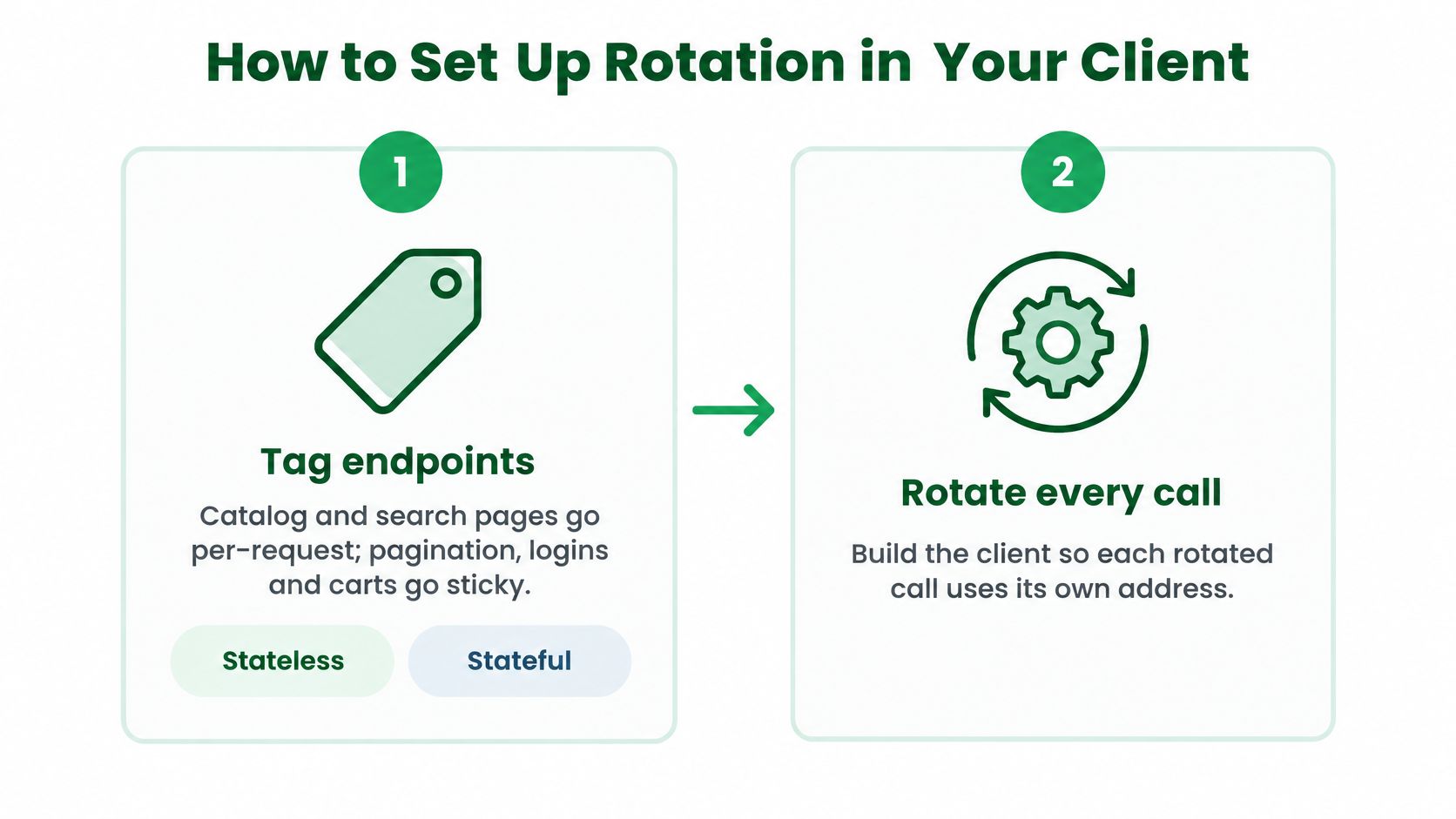
- Tag every endpoint as stateless or stateful. Catalog and search pages get per-request rotation. Pagination and logins get sticky. Write the tag next to the route in code, not in a wiki, because the person debugging at 2 a.m. is reading the route.
- Open a new proxy connection for each rotated call. Disable keep-alive on the proxy agent, don't share a connection pool across rotation boundaries, and don't let HTTP/2 multiplexing hide reuse. This explanation of rotating residential proxies and session handling shows how a held connection keeps the same exit after the client has already asked for a new one.
- Generate one session identifier per sticky flow and reuse it for every request in that flow. Cookies, tokens, and cleared challenges travel with that identifier, so the target sees one continuous client. A new IP on the next page is a new identity, and stateful flows break on that.
- Send the target URL with the session or rotation parameter, and a country code when the data is region-specific. Read the status, body, and cookies from the response. Don't assume the request did what you asked.
- Log the egress IP the response reports, never the one you configured. The configured value shows intent. The observed value shows what left the pool, and only the second one explains a block.
- Run a controlled sample at your planned concurrency before scaling. Confirm that unique IPs land the way you expect, and that each sticky session keeps its cookies across pages.
- Check the retry path the same way. If a retry leaves on the exit that just failed, your logs will show one address absorbing the failures. Record the observed IP on the retry, not only on the first attempt.
The request shapes that actually rotate
If your provider puts a session token in the proxy URL, Python's requests takes it per call, for example proxies={"https": "http://USER-session-abc123:PASS@PROXY_HOST:PORT"}. Swapping abc123 between flows starts a new sticky session only when that token is how the provider pins an exit. Omit the token for per-request rotation only if the provider's docs say that syntax does it. A different documented format means follow the docs, not this pattern.
In Node.js the equivalent slip is a shared https.Agent with keepAlive: true. Build a new agent for each rotated request, or pass agent: false, so a reused socket can't outlive the address it was opened on.
If you call a proxy API rather than a proxy port, send two POSTs with the same target URL and different session values. Compare the egress IPs the two responses report. Two identical addresses across two different session values means the rotation parameter isn't being honored somewhere in your stack. Session continuity fails the other way: one sticky value that returns a new address on page two has already dropped the cookies the flow needed.
A passing sample looks boring in the logs. Same URL, N requests, N distinct egress IPs inside the expected geography, one session value returning a stable address, and cookie continuity on every page of the sticky flow.
Retry and Rate-Limit Rules That Keep Rotation Safe
The fastest way to make rotation worse is to retry a failed request immediately from the exit that just failed. You've learned nothing about whether the address is bad or the request was bad, and you've doubled the load on the worst address in the pool. Retry logic needs to separate two families of failure: a transient network problem on your side of the connection, and a target-side decision about your traffic.
Cap retries at three, back off exponentially with jitter, and change exit on every attempt. A connection reset from a different address is a new experiment. A connection reset from the same address is the same experiment with more waiting.
Treat a 429 as a statement about the domain, not the IP. The target is telling you the request rate is too high, and swapping addresses to hold the same pace is how a soft limit turns into a hard block. Slow the domain, then resume at lower concurrency.
Keep session state when you retry a stateful flow. Restart from the last stable page on the same sticky IP rather than beginning the flow again on a fresh address, because a mid-flow address change is exactly the signal that gets a cart emptied or a login rejected.
Raise concurrency only while per-IP error rates and tail latency stay flat. Inspect failures per endpoint, since one overloaded subset hides comfortably behind an acceptable global average.
Retry actions by failure type
| Failure | Likely meaning | Action |
|---|---|---|
| Connection reset or timeout | Transient network failure on this exit | Retry after short backoff from a different exit |
| HTTP 429 | Target rate limit reached for this domain | Back off domain-wide and lower concurrency; do not change IP to keep the same pace |
| HTTP 403 | Block on this IP, fingerprint or headers | Retry once from a different exit; if it repeats, change fingerprint and pacing too |
| Challenge or verification page | Target asks for verification | Stop rapid retries; move to a browser-based tier or slow the domain |
| Session lost mid-flow | Cookie or token broke after an IP change | Restart from the last stable page on the same sticky IP |
| Repeated 5xx from one endpoint | Overloaded target or a poor exit | Quarantine that exit and reduce concurrency for the endpoint |
Domain-level pacing is the part teams skip. If you're already tuning request budgets per host, this guide to handling API throttling without burning your retry budget covers how to shape the delay curve instead of adding addresses.
Captchas and Fingerprints Rotation Cannot Fix
The assumption worth challenging is that a fresh IP makes you a fresh visitor. It doesn't. A new address changes one signal out of many, while your TLS fingerprint, header order, Accept-Language, timezone, screen metrics and interaction timing stay identical across every exit in the pool. Defenders don't score those signals separately, they combine IP reputation with rate limits and device fingerprinting, so a clean address carrying a stale browser profile still reads as automation.

The measurement backs the instinct. A large 2026 web study found that 82% of observed blocks were attributable to bot detection, including 37% associated with Cloudflare and 26% with Akamai, and it reported soft-block rates of 7% to 15% depending on browser configuration, according to the paper's measurements. Soft blocks matter more than hard ones here, because a thin page or an empty template returns a 200 and corrupts your dataset while your success-rate chart looks healthy.
So make the tier decision explicitly. Use direct HTTP for static pages and API endpoints that return data without executing JavaScript. Use a full browser for pages that render content client-side, gate access behind JavaScript or require a verified session. When a challenge appears, slow the flow and change the browser profile before you add more addresses, because more addresses with the same profile just multiply the same failure.
The rule I'd apply: if a target blocks you at 100 requests and again at 1,000 from entirely different addresses, the address is not the variable you need to change.
Video walkthrough of the same idea in practice.
Watch the video on YouTubeSymptoms that look like rotation failures
| Symptom | Likely cause | Fix |
|---|---|---|
| Fresh IP works once, then every page is blocked | Fingerprint, headers or TLS unchanged across exits | Match headers, locale and timezone to the IP's region |
| Pagination returns page one again | IP changed mid-session | Pin one sticky IP for the whole pagination run |
| Challenges climb as concurrency grows | Bursty request pattern per domain | Lower concurrency and add per-domain delay |
| Data incomplete but no errors | Soft block returning thin or empty pages | Compare record counts and check for empty templates |
A mismatched locale is the cheapest giveaway to fix. If the exit geolocates to Frankfurt and the browser reports en-US with a New York timezone and a US keyboard layout, the address and the client are telling different stories. For a deeper treatment of what these systems score, see this breakdown of anti-bot protection and the signals it weighs.
Geo-Targeting and Monitoring Rotated Traffic
Geography belongs in the request, not in a comment. Match country first, then narrow to a state or city only when the data depends on local results, such as local pricing, store inventory or regional SERPs. Verify that the exit's location and its network both fit the market you're targeting, because an address that geolocates correctly on an unexpected network still reads as wrong to a site that checks ASN alongside country.
Log these fields on every request, not on every batch: egress IP, target status code, challenge flag, timeout flag, latency in milliseconds, records extracted, proxy type, session ID. That schema is enough to answer almost every question you'll have later. Track P50, P95 and P99 latency rather than only the mean, because a slow tail is usually the first visible sign of a degrading subset.
Benchmark each target and geography separately. One market analysis of proxy performance cites roughly 30 percentage points between providers on identical targets, which makes pooled averages actively misleading when you're choosing a pool, per Which-50's proxy reliability analysis. A provider that wins on one retailer can lose badly on another.
Expect the pool to churn. The same analysis of 170 million residential proxy IPs found that an address was visible for an average of 4.56 days, and 60% of addresses appeared only once during a 90-day observation window. Never assume a good address will come back, and never build a workflow that depends on one.
Judge each run by records extracted per minute rather than by success codes. A run that returns 200s with half the fields empty is a failed run.
Legal and Ethical Limits on IP Rotation
A fresh exit IP is not a fresh identity. I treat rotation as a reliability control: the egress IP you observed, whether the session stayed continuous, and the per-endpoint result. Cookies, the TLS fingerprint and the site's access rules stay on the request. When those fail, more addresses only spread the same blocked outcome. A 200 with an empty body is still a failed endpoint.
Security research from F5 notes that IP reputation databases are continuously updated and used to block addresses tied to spam, scanning, malware, botnets and other abuse. Its 2025 advanced persistent bots report observes that large operations can expose tens of millions of IPs over time while only a few million may be reachable on a given day even with broad targeting and rotation. Shared residential addresses carry the reputation of other traffic on the same exit.
Before you depend on a pool, get four answers: where the addresses come from and whether the users behind them opted in, what the abuse-response process looks like, how consistent ASN and geolocation data are, and whether you can quarantine an address after a bad result. You need a way to drop a bad address.
When one public IPv4 address serves many subscribers, tying an action to a subscriber generally needs the source IP, the source port and a timestamp. Mapping records may need to be kept for a set period that depends on the jurisdiction. Keep per-request audit logs so you can say what you collected, from where and when.
Spreading load across addresses is ordinary engineering. Using rotation to defeat an access control a site put in place for a reason, or to collect personal data you have no basis to hold, is a different activity with different consequences. Respect the target's terms and robots rules, and pace each domain so rotation never amplifies load on a small site.
Confirm Your Rotation Plan Before You Scale
Run one gate before you increase volume, and fail it fast.
- Every endpoint has a declared mode. No route runs without a stateless or stateful tag.
- The controlled sample at planned concurrency passed. Expected unique-IP spread, unbroken sticky sessions, cookies carried across pages.
- Per-endpoint outcomes hold steady as load rises. Records per minute stay flat or climb, and no endpoint's error rate drifts upward.
- The pool's provenance and abuse handling are verified. You know where the addresses come from and how to quarantine a bad one.
If the gate fails, change the mode, the pacing or the proxy type on the failing endpoint. Adding more IPs to a fingerprint or session problem only produces more blocked requests.
If you'd rather not operate a pool, Scrappey runs sticky rotating residential proxies with region targeting, and the proxyRegion parameter can narrow targeting below country level to a state or city. Today, run the sample against your hardest endpoint and read the logs before you touch anything else.
Scrappey gives you a single endpoint that loads pages through real browsers on residential IPs with sticky sessions, so rotation stops being a client-side configuration problem and becomes a parameter you set per request. You can target by country or narrow to a state or city with proxyRegion, and both the direct HTTP and full-browser tiers include residential proxies with no separate proxy billing. Start with the hardest endpoint in your crawler and see what the logs look like when rotation actually works.