

You run an image extraction job against a product page and get one file back. The page on screen shows a gallery of eight photos, a zoom view, a fabric close-up and a brand logo. Your job returned the hero shot and stopped there.
That mismatch is normal, and it isn't a bug in your parser. Modern pages decide which image to load at the moment they render, and plenty of them never put the final URL in the HTML at all. Getting a complete set means knowing every place a URL can sit, choosing between a cheap HTTP fetch and a real browser, and keeping enough context that the files stay useful after download. Here's the sequence I'd build, in the order I'd build it.
Where Image URLs Hide on a Modern Page
Start with the scale of the problem. The HTTP Archive Web Almanac 2024 media report, built from more than 10 million scanned and parsed pages, found that 99.9% of pages requested at least one image. The median mobile page carried 13 <img> elements against 14 on desktop. At the 75th percentile those figures rose to 29 and 32, and at the 90th to 56 and 62.
An extractor that pulls the first img src and stops has seen a small fraction of that. The same dataset shows the format mix is just as fragmented: JPEG at 32.4% of captured image requests, PNG at 28.4%, GIF at 16.8%, WebP at 12%, SVG at 6.4%, and the rest other or unknown. A pipeline that only accepts .jpg is broken before it starts.
The map of where image URLs hide
| Source | Where it appears | Attribute to read | Static fetch enough? |
|---|---|---|---|
| Plain img | An <img> tag in the HTML |
src |
Yes |
| Responsive image | <img> with srcset and sizes |
srcset candidates, then currentSrc |
Partly, the list is there but not the chosen file |
| Picture element | <picture> with <source> children |
source srcset and type |
Yes |
| Lazy-loaded image | data-src, data-srcset, loading="lazy" |
Data attributes before scroll, currentSrc after |
No, often a placeholder |
| CSS background | background-image in a stylesheet or inline style |
Computed background-image |
No, unless you parse and resolve the stylesheets |
| Canvas or inline SVG | Pixels or markup drawn by script | Element screenshot or serialized SVG | No |
| Social preview | meta property="og:image" |
content |
Yes, usually one image per page |
Most extraction code handles rows one, three and seven. The gallery in your screenshot usually lives in rows two, four and five, which is why the count comes back short.
The two-minute test that settles it
Fetch the raw HTML and count the img tags, picture sources and og:image entries. Then load the same URL in a browser, scroll to the bottom and count the rendered elements. If the browser count is higher by more than a couple, or a gallery visible on screen has no matching tag in the source, that page needs a browser.
Rule of thumb: a static fetch tells you which URLs the server offered. A rendered DOM tells you which images the visitor actually saw. Only one of those answers the business question.
Choose Your Extraction Method Before You Scale

Pick the method per domain, not per URL, and pick it before you write the downloader. A static HTTP fetch is fast and cheap; a browser session costs seconds and real money per page. Sending everything through a browser because one template is JavaScript-heavy is the most common way to blow a budget on a job that didn't need it.
The three-step check that decides it:
- Count candidates in the raw HTML. Include
img,picture sourceandog:image. - Load the URL in a browser, scroll to the bottom, count again. Use the rendered DOM this time.
- Compare. If the browser count is higher by more than a few images, or a gallery you can see is missing from the raw HTML, that page needs the browser path.
Run the static pass across every target first, then route only the failures to a browser. Record the verdict per domain so a template-based site gets tested once and reused. Pages behind a login are out of scope for both paths, and any bulk run should check robots.txt and the site's terms first.
Pull Images from Static HTML First
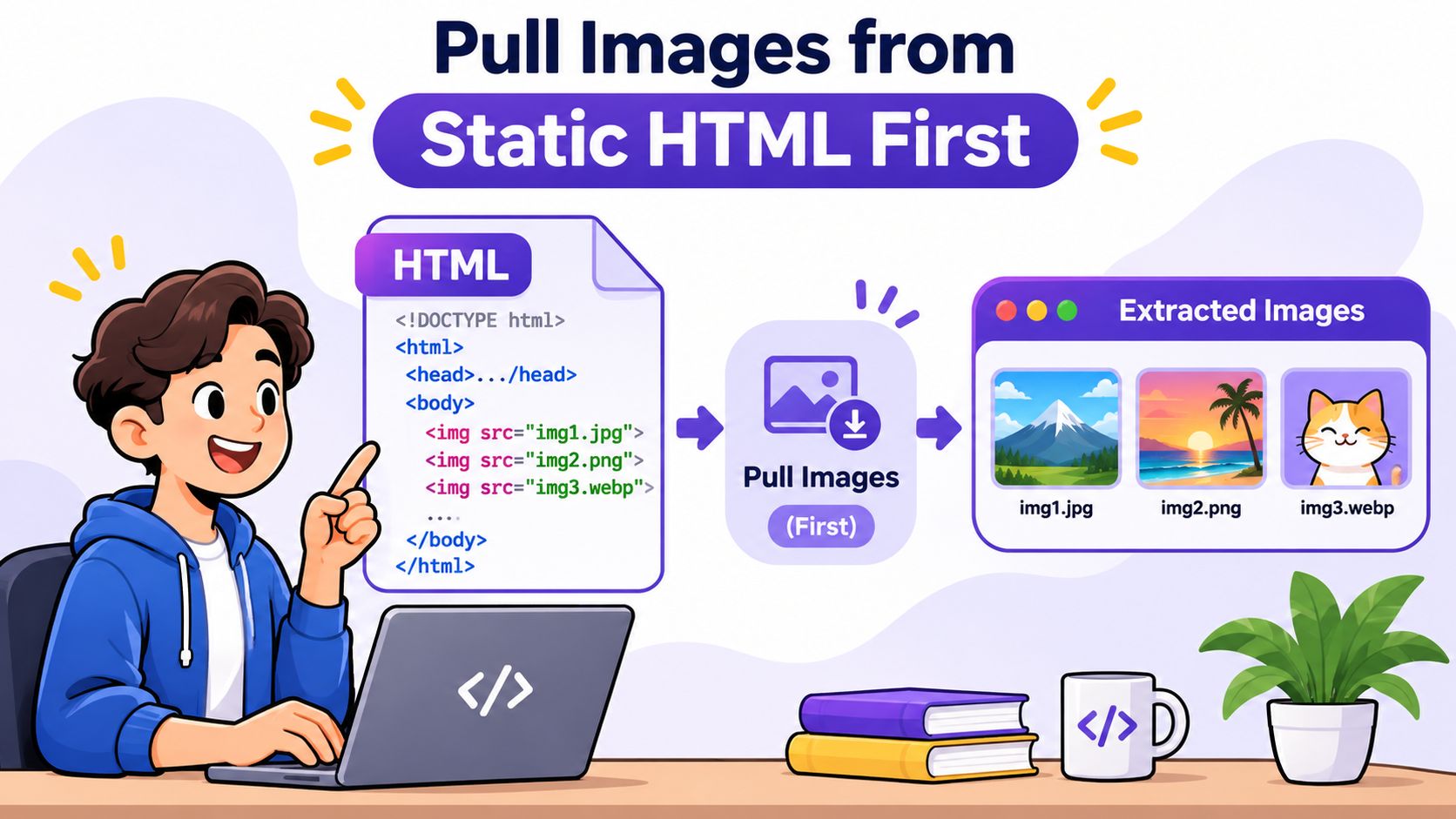
A plain HTTP client plus a parser is the cheapest pass you can run, and it covers more of the web than people expect. lxml, BeautifulSoup or Cheerio all work; pick the one your team already reads. If you're working in Python, this walkthrough of parsing HTML with BeautifulSoup covers the selector patterns you'll reuse for every site.
Pull every img src. Then split each srcset on its commas and keep the largest width descriptor, because a 300-pixel thumbnail frequently sits right next to a 1200-pixel original. Collect <picture><source> elements too, plus og:image and twitter:image from the head, and any <link rel="preload"> entries carrying imagesrcset. Resolve relative URLs against the <base> element when one exists, otherwise against the final URL after redirects.
Save each candidate with the element it came from, the attribute you read it out of, and the page URL it resolved against. That context is what tells you later whether hero-1200.jpg was the browser's pick or a fallback you grabbed blindly.
A news article is the easy case. The head returns a 1200-pixel og:image and the body holds six 300-pixel thumbnails, so one static pass gives you a usable hero plus a set of previews.
Page weight is the reason this path is worth optimizing. Images made up 881 kilobytes of the 2,019-kilobyte median mobile page as of June 2021, about 43.6% of total page weight, according to the HTTP Archive 2022 page weight analysis. You're downloading a lot of bytes to throw most of them away.
Where the static pass stops working
Lazy images often carry a 1x1 placeholder in src while the actual URL waits in data-src, so check the common data-* attributes before you discard an element as empty. Browsers pick a srcset candidate by viewport, pixel density, zoom and supported format, which means the URL in src is not necessarily the variant a real visitor ever saw. And a share of the image requests on any page are one-pixel layout spacers or tracking beacons rather than content, so filter those out before they reach storage.
The static pass also can't tell you which candidate the browser would have rendered. It gives you the full menu of URLs the page declares, and the selection logic stays invisible until a real viewport evaluates it. For catalog work that's usually fine, because the largest srcset entry is the one you wanted anyway.
If you're collecting images for social boards rather than a warehouse, the download step looks different, and this guide to how to pin from a website covers the manual route.
Watch the video on YouTubeHow to Capture Images from JavaScript-Rendered Pages
When the gallery only appears after scripts run, drive a real browser and read the DOM after it settles. Playwright, Puppeteer or a managed browser service all expose the same properties. The MDN documentation for HTMLImageElement is the reference worth bookmarking, because currentSrc is the property that matters and most tutorials never mention it.
- Load the page and wait for network idle, then add a one to two second delay. Reading the DOM at first paint catches skeleton placeholders instead of photos.
- Collect
currentSrc,src,srcset,sizes,altandloadingfrom everyimgelement.currentSrcis the URL the browser chose.srcmay still be a placeholder at this point. - Read the computed
background-imagefor elements showing photos through CSS. Hero banners and category tiles frequently live there and nowhere else. - Scroll in steps of one viewport height with a pause between them. The classic slip is scrolling once to the bottom and stopping, which leaves the middle of an infinite feed unloaded.
- Re-read
currentSrcafter each pass. Responsive selection can change once layout and fonts settle, so an early read can capture the wrong variant. - Stop when two consecutive passes add no new candidates. Without this guard, an infinite feed runs until you kill the process.
- Deduplicate by canonical URL and hand the list to validation. Strip tracking parameters, keep size and crop parameters.
An image whose naturalWidth is zero hasn't decoded yet. Wait for it or flag it, but don't write it to your clean output as a success.
What good output looks like
One row per image, holding the page URL, the chosen image URL, the rendered width and height, and the scroll pass that found it. That last column pays for itself the first time someone asks why a photo is missing and you can tell whether it never loaded or never existed.
The completeness check: count the rows, then compare that number against a full-page screenshot of the same URL. If the screenshot shows nine tiles and your table has seven, you have a scroll or selector problem, not a data problem.
For a deeper look at why these pages behave this way, this explanation of dynamic web pages covers the rendering models that produce late-arriving images.
Validate, Deduplicate and Filter Candidates
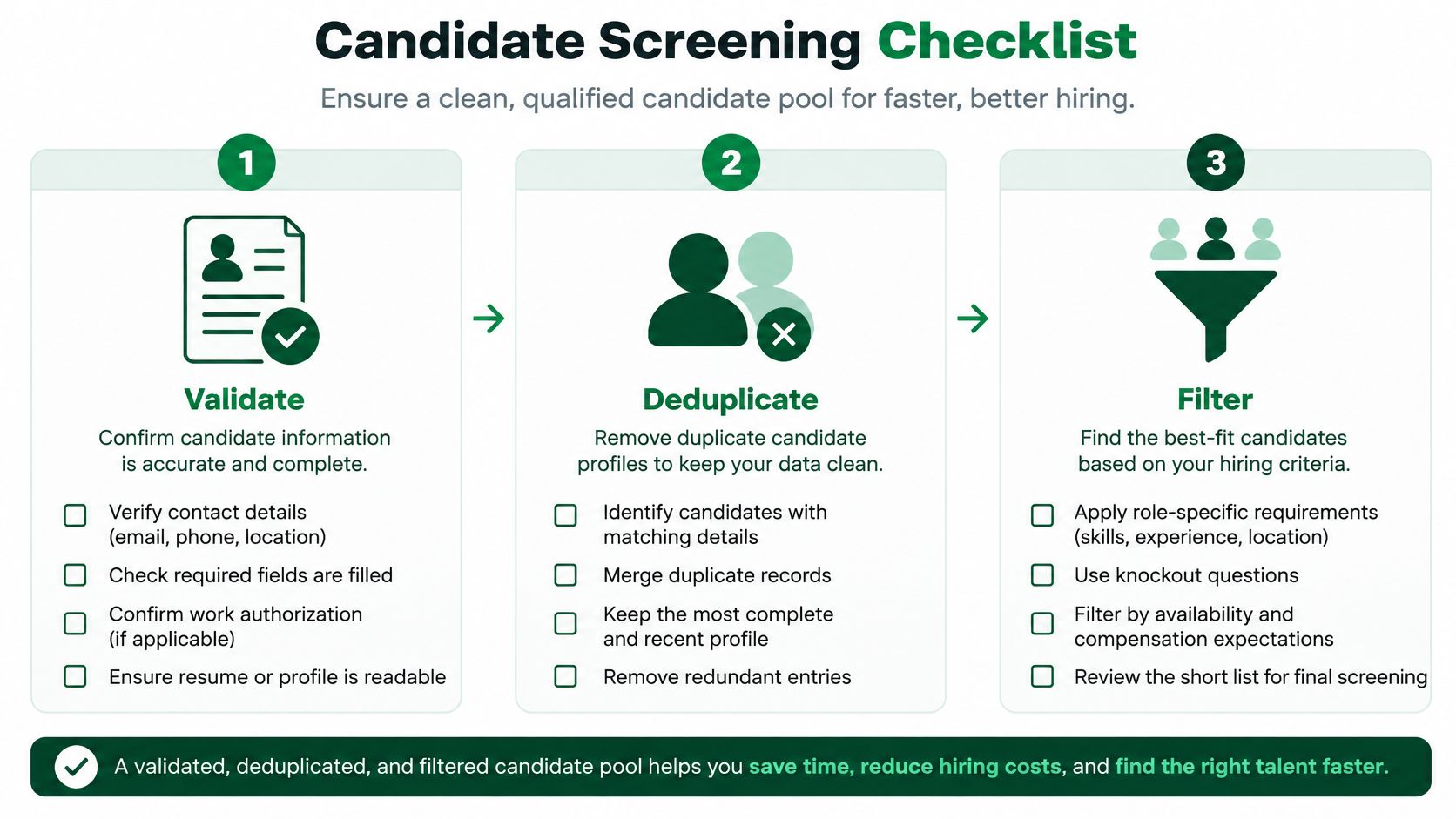
Validation starts with the response, not the filename. Follow redirects, record the final URL and the Content-Type header, reject HTML or JSON bodies, and confirm the bytes decode as an image. A .jpg extension on an HTML error page is a routine outcome on hotlink-protected hosts.
Accept at least JPEG, PNG, GIF, WebP, AVIF and SVG. The 2025 HTTP Archive Web Almanac, which analyzed 17.2 million websites, records WebP growth of 5%, SVG growth of 2.5% and AVIF growth of 3.1% since 2022, with JPEG still the most requested format. Build for that spread rather than assuming a single raster type.
Keep originals where you can. Converting AVIF or WebP to JPEG can strip animation, transparency, metadata and color information that a downstream team later needs. SVG deserves its own handling: parse or sandbox it before any renderer touches it, because it's XML that can carry script, not a flat image.
The failures you'll actually hit
| Symptom | Likely cause | Fix |
|---|---|---|
| Same image listed many times | Tracking or size parameters in the URL | Strip tracking parameters and compare byte hashes |
| Response is an HTML page | Hotlink block or login redirect | Check Content-Type, send the source page as referrer, log the status |
| 403 after a few minutes | Signed URL expired | Download soon after extraction and log the timestamp |
| 429 Too Many Requests | Request rate too high for the host | Slow requests per host and retry with backoff |
| Many tiny files | Tracking pixels or layout spacers | Drop images under a minimum decoded size and log the count |
| Thumbnails saved instead of originals | Smallest srcset candidate chosen |
Take the largest candidate or re-read currentSrc after resize |
| Visible image missing from output | CSS background or canvas | Read computed background-image or capture the element |
Set a floor for decoded dimensions, something like 100 pixels on the shorter side, and log how many candidates that floor removed. A silent filter is worse than no filter, because nobody can tell whether the rule is working.
Build the funnel before you trust the number: DOM candidates, post-scroll candidates, unique URLs, successful HTTP responses, decodable images, images above your size threshold. Your real success rate is the last number divided by the first.
Keep the Metadata That Makes Images Usable
A folder of JPEGs with no context is a folder nobody can search, audit or defend. The binary is the least interesting part of the record.
Accessibility text is the field often overlooked. The 2025 Web Almanac accessibility chapter reports that roughly 50% of images still have either an empty alt attribute or alt text shorter than 10 characters, and it recommends concise descriptions matched to context rather than filenames. Capture the alt exactly as written, whatever its quality, because its quality is itself a finding.
Alongside it, store the nearest heading, the figcaption, the title attribute, any JSON-LD image reference, and the canonical page URL. Add the original URL, the final URL after redirects, rendered dimensions, format and extraction timestamp. Then add confidence flags: missing alt, alt that matches the filename, unknown dimensions, images that only appeared after scrolling.
Say a retailer's catalog run returns a product photo whose alt text is IMG_4471.jpg. Storing that as a clean record hides a real problem. Flagging it puts the image in a review queue where someone can fix the alt text and improve both the listing's accessibility and its search visibility.
If you're cleaning filenames after collection, these SEO-friendly image filename tips cover the conventions worth following.
Treat credit lines and licence text as evidence found on the page, not proof of ownership. Record them, quote them, and let a human decide what they permit.
Run a Managed Browser at Volume
Running a browser fleet yourself means owning instance lifecycle, proxy rotation, wait logic and retries. That's a real engineering project, and it's rarely the part of the pipeline that creates value.
Scrappey's full browser tier is one way to skip it: each page loads in a real browser instance through a residential proxy, JavaScript executes, content is waited for, and up to 20 browser actions per request cover click, scroll, type and screenshot. Every request returns clean HTML, headers, cookies and screenshots, which is exactly what you need to compare the candidate count from the rendered DOM against what the page displayed. The service is built for publicly available pages and doesn't get past authentication walls.
If you'd rather keep your own headless setup, this guide to the Chrome headless browser for web scraping covers the configuration that matters.
Before committing a full URL list, run one representative page through the tier and check three things: the candidate count matches the screenshot, the validation funnel from the previous stage behaves the same way it did locally, and per-host rate limits with backoff are in place. Then scale.
Scrappey gives you a real browser, a residential proxy and clean HTML back in a single request, so the rendered DOM you need for complete image capture arrives without a browser fleet to maintain. If your current extractor is returning one image from a page that shows eight, send that URL through the full browser tier and compare the counts yourself. Start with the free trial at Scrappey and see what the page was loading.