You're looking at one model, the sold filter is on, and ten recent sales feel like a green light. That screen is a short slice of endings, not a buy decision. A buy decision needs a matched product definition, a realized price, a break-even number that survives fees and returns, and a dated log you can compare next week. eBay product research is that sequence, and it starts by knowing which tool is talking.
What Each eBay Research Tool Can and Cannot Show
Ten completed sales can be a busy week, a thin niche, or the same seller relisting variants. You only know which after you separate the native tools from each other.
Product Research, the Terapeak-powered view inside Seller Hub, is the wide lens. eBay's annual report archive states that the tool gives access to the previous three years of sales data for millions of items, including sales trends, average selling prices, sold-price ranges, average shipping costs, free-shipping availability, selling formats, and how many sellers sold the item. It also records the price paid when a Best Offer is accepted, which the original asking price hides. Completed Listings, by contrast, only returns recently ended sales inside that same short window, so it is a price spot-check, not a trend file. Seller Hub Reports cover your own sales, views, and conversion. They tell you whether your photos and titles are working. They say nothing about what the market wants.
Developer APIs are the fourth route. They return listing and item fields in code, but access needs approval and has to follow eBay's terms. They don't hand you a ready-made three-year chart.
| Source | Data window | What it shows | Main limit |
|---|---|---|---|
| Product Research (Terapeak-powered) | Up to three years | Sold trends, average sold price, number sold, sell-through for 90 days or less | Not a guarantee of future sales; no supplier data |
| Completed Listings search | Recently ended sales, 90 days | Individual sold listings and prices | No trend view and no sell-through metric |
| Seller Hub Reports | Your own account history | Your sales, views and conversion | Shows nothing about competitors or market demand |
| Developer APIs | Approved calls, no built-in multi-year archive | Listing and item data in code | Access needs approval and must follow eBay terms |
Scale is why the marketplace filter matters before you trust any of those rows. eBay's fiscal 2025 Form 10-K reports nearly $80 billion in Gross Merchandise Volume, with 51% generated outside the United States. A US-only search and a UK search are different markets. Set the site you plan to sell on before you write a price down.
How to Run eBay Product Research in Seven Steps
A tight query beats a clever one. eBay's Terapeak research help is clear that sell-through, the percentage of similar items sold in the period you chose, isn't displayed for year-long searches. Category, condition, query precision, season, and listing quality all change how you should read it. A first niche takes about an hour when the query is scoped. A vague keyword burns that hour and inflates demand.
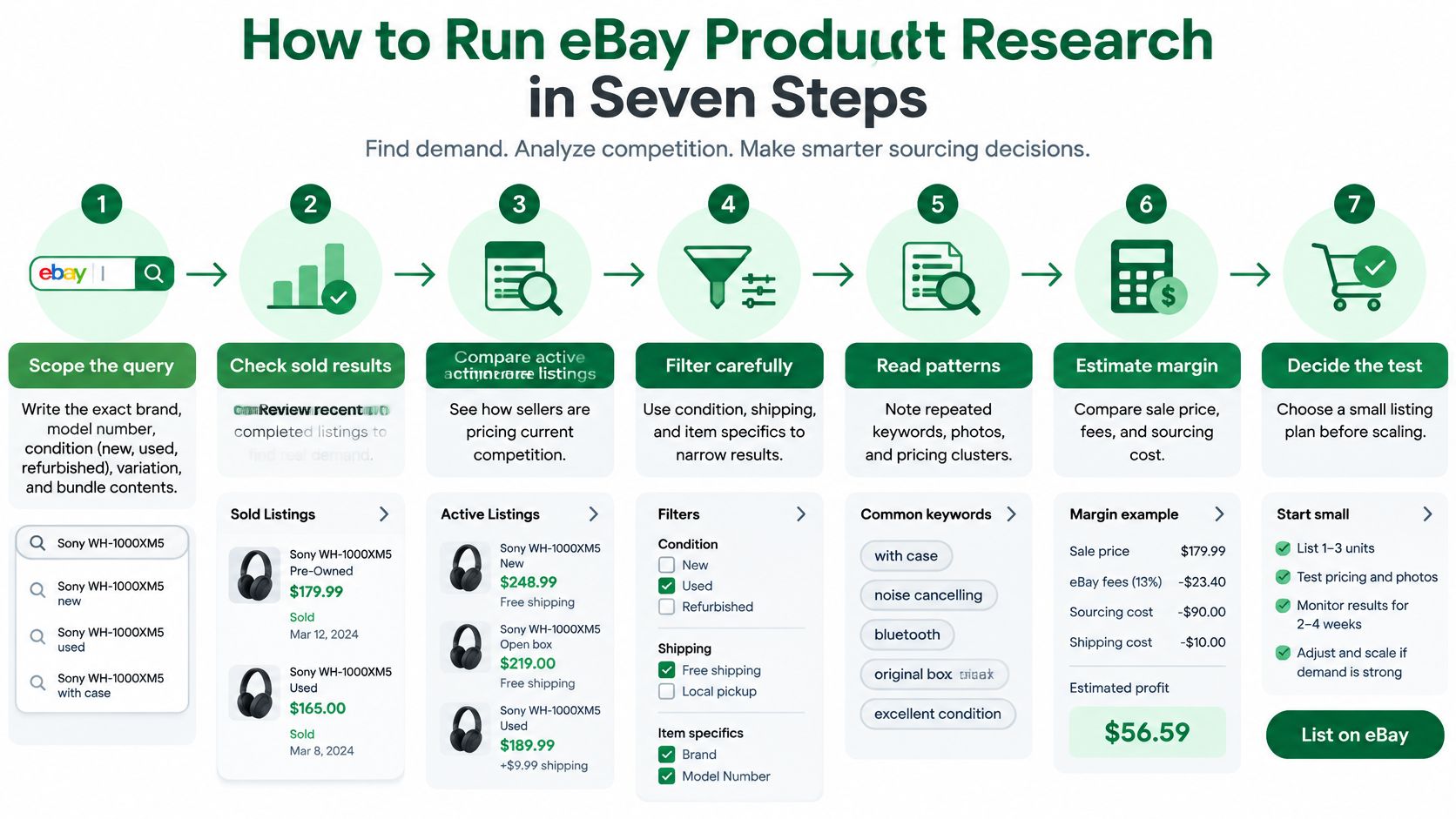
- Scope the query. Write brand, model number, condition, variation, and bundle contents. For a console, that might be "Nintendo Switch OLED 64GB white" with minus terms for bundles, cases, and docks. Turn on Sold, pick the condition, and set the marketplace you'll ship from.
- Pick the window. Use 30 days for fast movers when you want a fresh price. Use 90 days when you need sell-through on the screen. A one-year view is for the trend chart, not that rate.
- Record the sold set. Write sold count, average and median realized price, a lower percentile such as the 10th, and Best Offer prices that were accepted. Asking prices stay off this row.
- Pull active listings with the same definition. Same words, same condition, same site. Mixing a broad sold keyword with a narrow active search is the fastest way to invent demand.
- Note who sold and how it shipped. Count distinct sellers, typical shipping charges, and how many sold with free shipping. One seller with twelve listings isn't twelve competitors.
- Split conditions. Run new, used, refurbished, and incomplete units as separate passes. Pooling them produces a price nobody pays for the unit you can source.
- Save a dated export. Store the query text, every filter, and the date on the sheet. Next week's run is useless if you can't see what changed. When you later want that sheet filled without retyping, a practical guide to web scraping for ecommerce covers how public listing pages become a table you control.
Velocity is the extra column worth adding while the export is open: sold units divided by days in the window, then nudged for a known seasonal bump. It isn't a pass or fail score. It's how many units a day this exact match has been clearing.
Practical rule: If you can't paste the query, the condition, and the marketplace into next week's search and get the same population, the first run wasn't research.
Reading Sell-Through, Velocity and Price Spread Correctly
Say sell-through prints at 10% and 100 items sold. Practical Ecommerce's Terapeak walkthrough shows what that ratio implies: roughly 1,000 comparable items were listed in the measured period. The math only holds when product definition, condition, geography, and dates match on both sides. eBay treats the tool as pricing, demand, trends, and seller comparison. It isn't a promise of your next sale.
Work the checks in order before you source anything. Pick the 30- or 90-day window. Compare sold quantity with the active inventory that uses the same definition. Take the median realized price and a downside percentile. Count distinct sellers. Model fees, shipping, returns, taxes, packaging, and expected defects. Only then list a small test.
| Metric | How to calculate | How to read it | Watch for |
|---|---|---|---|
| Sell-through rate | Sold units divided by comparable listings in the same window | Higher means more of the supply is clearing; compare to the category, not a fixed number | Mismatched denominators from another period or broader keyword |
| Velocity | Sold units divided by days observed, adjusted for season | Units per day shows how fast stock can move | Short windows that catch a one-off spike |
| Median realized price | Middle value of sold prices, Best Offer prices included | The price a buyer actually paid | Asking prices that overstate what sells |
| Price spread | Gap between the median and the lower percentile (for example P10) | A narrow spread means predictable pricing; a wide one means risk | Outliers from bundles or damaged units |
| Distinct sellers | Count of unique sellers in the sold set | Few sellers can mean concentration or a closed niche | Multiple listings from one seller counted as demand |
| Sold-to-active ratio | Units sold in the window divided by active listings today | Shows whether supply is building or draining | Relisted or duplicate listings that change the count |
| Seasonality index | Sold units in this window divided by the same window last year | Above 1 means a stronger-than-usual period | Single-year data that can't separate seasons from trends |
Where the rate lies
The common distortion is dividing this month's sold listings by every active listing on the site today. Listings get relisted, ended, and duplicated, so that ratio isn't the period's sell-through. Multi-quantity listings and variation listings distort unit counts the same way. A broad keyword on the sold side and a tight keyword on the active side makes demand look fatter than it is.
Seller concentration is the quiet killer. Three established accounts can take most of the sales inside a "healthy" rate, and a newcomer doesn't inherit their feedback. The same caution shows up outside electronics. Jewelry inventory insights from JewelryBuyDirect are a useful cross-check on how sell-through behaves when pieces are slow, high value, and easy to mis-grade. A rate without a margin is still a poor buy. If the median realized price barely clears your costs, faster turnover just loses money quicker. Data validation methods are worth applying to the sheet itself, so a mismatched condition or a duplicated listing doesn't survive into the sourcing call.
A high sell-through with a weak median margin is a pass on the product, not a green light.
Turning Demand Data Into a Break-Even Price
The question the dashboard never answers is whether this unit makes money after shipping, fees, returns, sourcing, and a price cut. ScrapeGraphAI's product-research write-up notes that the research view can show sold-price ranges, average shipping, free-shipping counts, and sell-through, and still doesn't supply supplier names, a margin calculation, or a listing. Category averages also hide outliers, and eBay-only figures ignore Amazon, Etsy, and direct-to-consumer shelves.
Build a landed-margin number yourself. Landed cost is sourcing plus inbound freight, packaging, and a reserve for defects and returns. Separate the item price from shipping revenue so a "free shipping" sale doesn't look richer than it is.
Break-even sale price = landed cost ÷ (1 − fee rate − other percentage costs).
The table below uses a 13% fee assumption. Replace that with the current rate for your category on eBay's fee schedule before you buy anything. At a $40 base sale and $21 landed cost, fees take $5.20 and you're left with $13.80. The break-even sale price on that same landed cost is about $24.14, where profit is zero.
| Scenario | Sale price | Landed cost | Fee assumption | Profit per unit |
|---|---|---|---|---|
| Base case | $40 | $21 | 13% | $13.80 |
| Break-even | $24.14 | $21 | 13% | $0 |
A 25% price cut, from $40 to $30, doesn't trim profit by 25%. Fees fall only a little, landed cost doesn't fall at all, and profit drops to about $5.10. That's why I would rather miss a fast niche than source above a ceiling set from the downside percentile, not the average.
Listing choices that protect the number
Price near the sold median, not the cluster of asking prices. Set the Best Offer floor at or above break-even so an accepted offer can't sell you into a loss. Choose free shipping or calculated shipping from the free-shipping counts in the research, not from habit. Borrow title terms that already show up on sold listings in your condition, because buyers search those words.
A product clearing 60% of listings at an 8% margin can lose to one clearing 25% at a 30% margin once returns, authentication, and shipping volatility are in the model. Fast demand with an expensive return is a worse buy than slower demand you can land cheaply. Your sourcing-cost ceiling is the landed figure that still clears break-even at the lower percentile, not at the prettiest sale on the chart.
Building a Price Log With APIs and Respectful Scraping
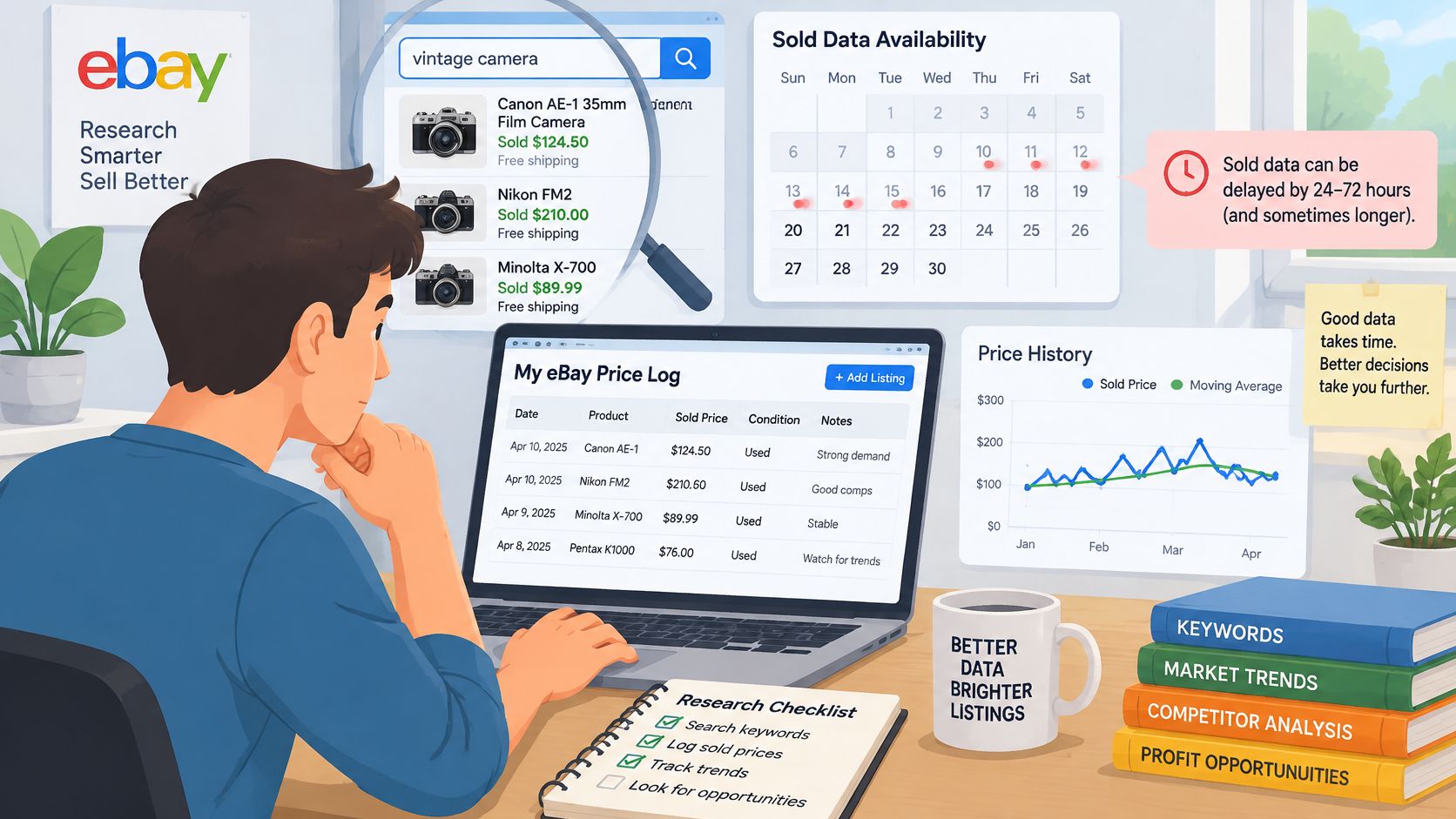
A single dashboard view is a photograph. Sold figures can lag by roughly 24–48 hours, searches are literal, and the numbers are eBay's, not the whole market, as 365dropship's Terapeak guide lays out. The tool also can't name the supplier who can fill the product. A daily snapshot log is how you tell a trend from a listing spike.
Check official developer APIs first and confirm what your approval allows. If you also keep public listing pages, read robots.txt before the first request. Our free Robots.txt Validator is one of the developer tools we publish for that check, alongside header and user-agent utilities, so you aren't guessing at the file.
Settings that keep the log legitimate
- Pace the client. One request every few seconds, one connection, is enough for a research log. Back off when you see 429 or 503 responses, and run the job off-peak.
- Identify yourself. Put a real contact address in the client string. Hidden clients are how a research job starts to look like abuse.
- Store listing fields only. Title, price, shipping, condition, sold status, seller count, and a timestamp. Skip anything that identifies a buyer or profiles a seller.
- One row per product per day. That's the series. A single afternoon screenshot can't show direction.
- Stop at the wall. Don't bypass CAPTCHAs, login walls, or blocks, and don't republish the rows. Laws, platform terms, and privacy limits still apply to public pages.
Treat a move as a trend only after it shows up on at least three consecutive daily snapshots and the sold count rises with it. A one-day jump in active listings is a spike until the log says otherwise. Pair the rows with the same query across the regional sites you might sell on, and with a quick look at search interest, so a keyword fad doesn't masquerade as orders. When the sheet needs to refresh on a schedule, a price monitoring API is the usual way teams stop copying numbers by hand. Supplier availability still sits outside eBay. Aroma Warehouse's product sourcing guide is a practical companion for checking whether you can land the unit your log says is selling.
Confirm the Sourcing Decision With a Small Test Listing
The log and the break-even price still describe other people's sales. Your listing is the last check before capital goes out. List three to five units, or a single variation, priced at or slightly under the sold median, and leave it up for 30 days. Write the pass rules before the listing goes live, or you'll move the goalposts on day 29.
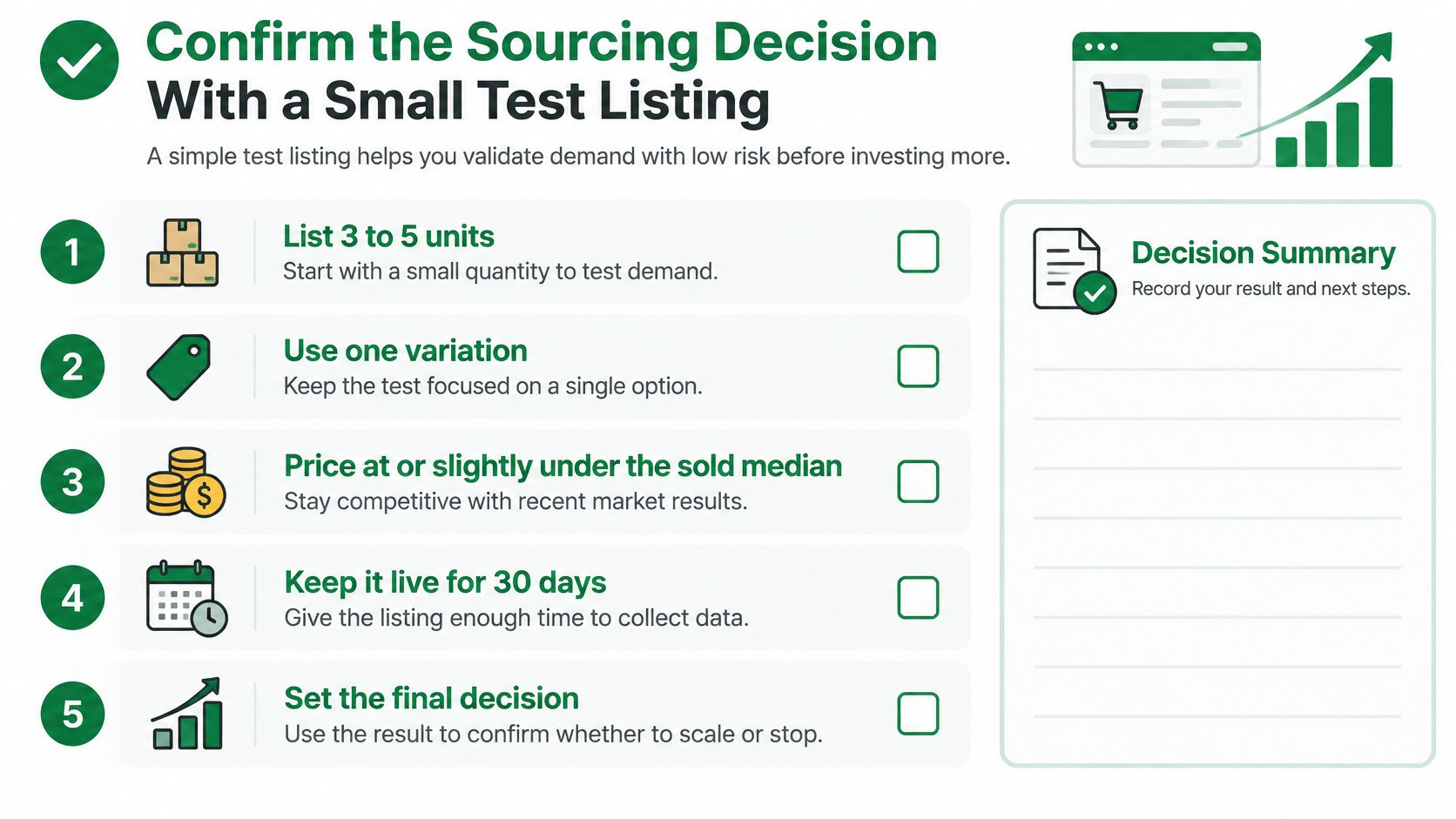
Copy this pass checklist
- Velocity. Units sold meet the daily rate you already calculated, measured over the same number of days.
- Price. Realized prices, including accepted offers, stay above the break-even sale price.
- Returns. Returns stay inside the rate you reserved in landed cost. A higher rate means the model was wrong, not that you got unlucky once.
- Your own clearance. Your listing's sell-through sits inside the range the research showed for this condition and site.
If the test fails on price, change the price and run another 30 days before you drop the product. If it fails on demand, drop it and move to the next niche. Don't average a failed test into a bigger order.
This week, pick the single product you'd test. Write its exact query, condition, marketplace, and break-even price on one line, and start the dated daily snapshot for that query on day one. That's the whole buy decision in a form you can audit.
If you want those daily listing snapshots without maintaining your own browser stack, Scrappey is a web scraping API for public product pages, with pay-per-success pricing and handling for dynamic content. Teams use it to pull prices, availability, and inventory into the same log this playbook runs on. See how it fits your research workflow at Scrappey.